Large XML File Viewer
Open an XML file that makes your editor stutter. Long lists are shown as tables, 100 rows at a time, with a filter on every column. For the really large files, Data Analysis reads the file from a ZIP and lets you filter its records by clicking values.
- Your files never leave your browser
- Free, no account needed to start
- Nothing to install
Your files never leave your browser
Large files are usually exports: a ledger, a customer register, a product catalog. Many online viewers want the file uploaded, which is slow for 100 MB and out of the question for that kind of content.
Nodeflip reads, parses and analyzes your files with code that runs in your own browser. The files are not uploaded to a server, so there is no copy of them anywhere else to secure, delete or explain to a customer. That makes it usable when you are not allowed to paste customer data into an AI service or upload it to an online tool.
What the app does send: anonymous usage statistics (file type and file size, never file names or content) and error reports. More about local processing.
Two ways in, depending on the size
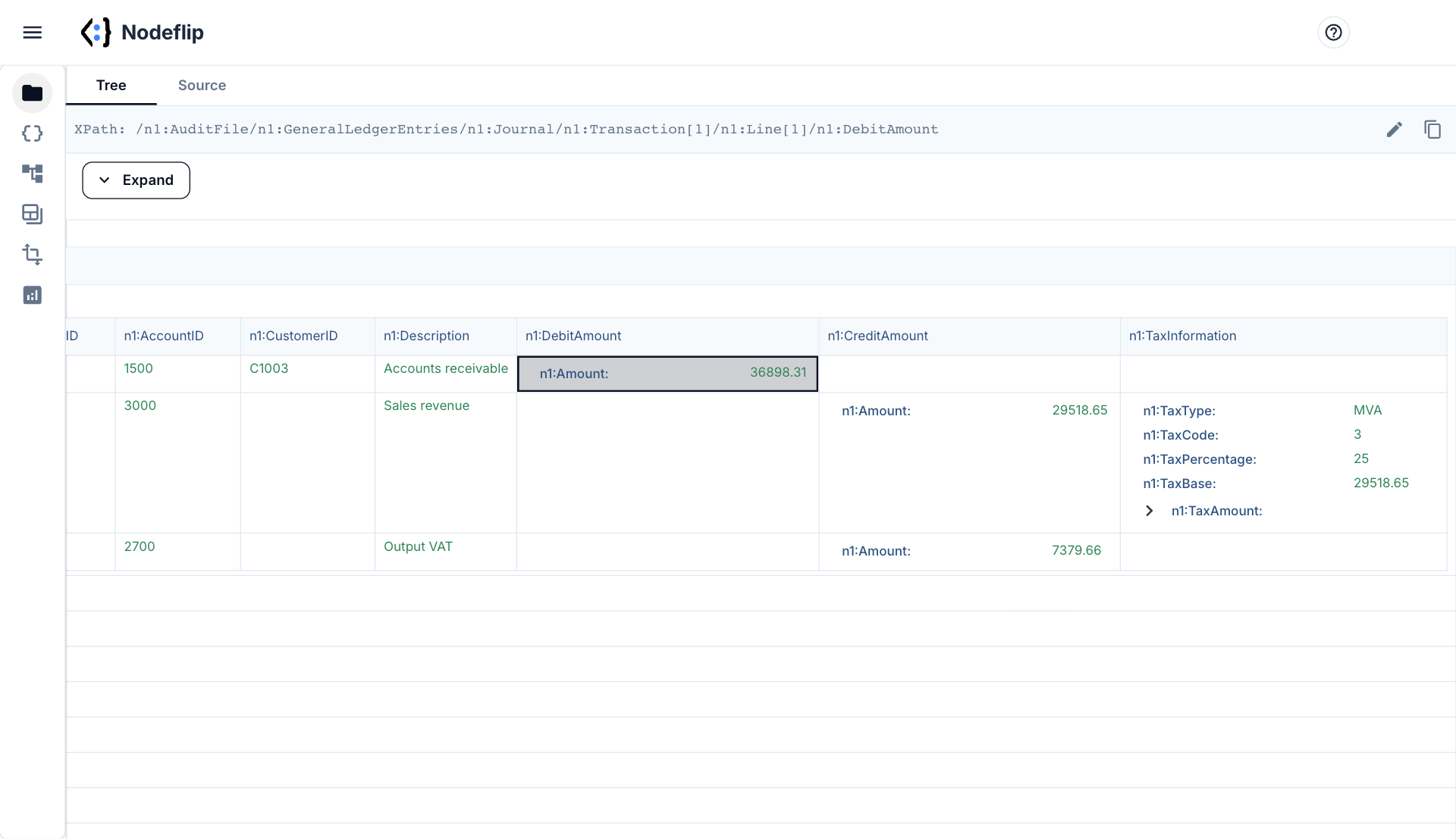
Tens of megabytes: open it in the tree view
The file is parsed once and shown as a tree. A list with more than 100 items is shown 100 at a time, as a table with one column per field, so a list of 200,000 items does not become 200,000 rows on the page. Filter a column to find the rows you are looking for, and expand a row to see what is inside it.
- Lists as tables, paged 100 rows at a time
- Filter on any column to find a record
- Get the filtered rows as a file of their own
- Switch to source view at the same place in the file
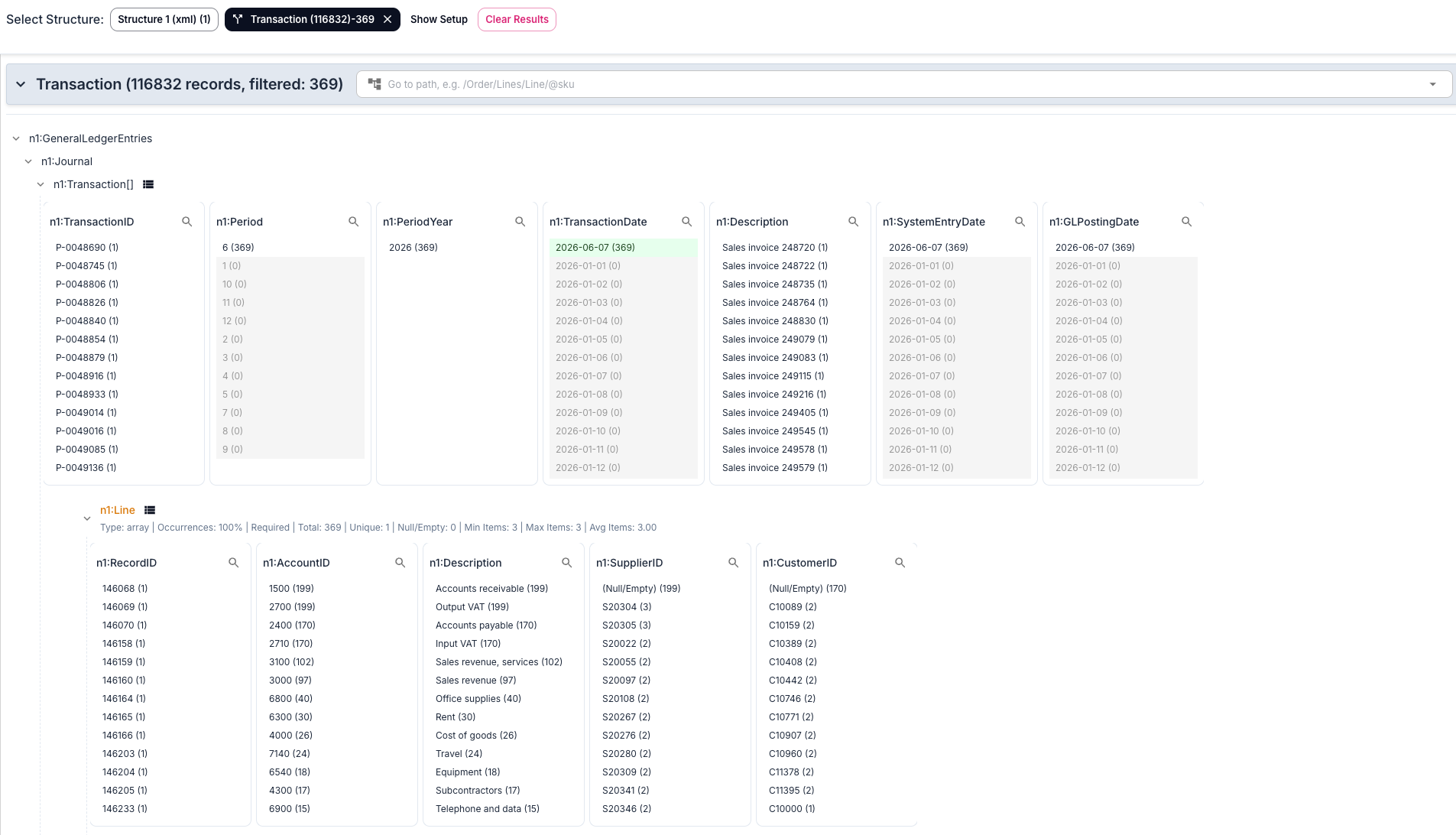
Hundreds of megabytes: analyze the records
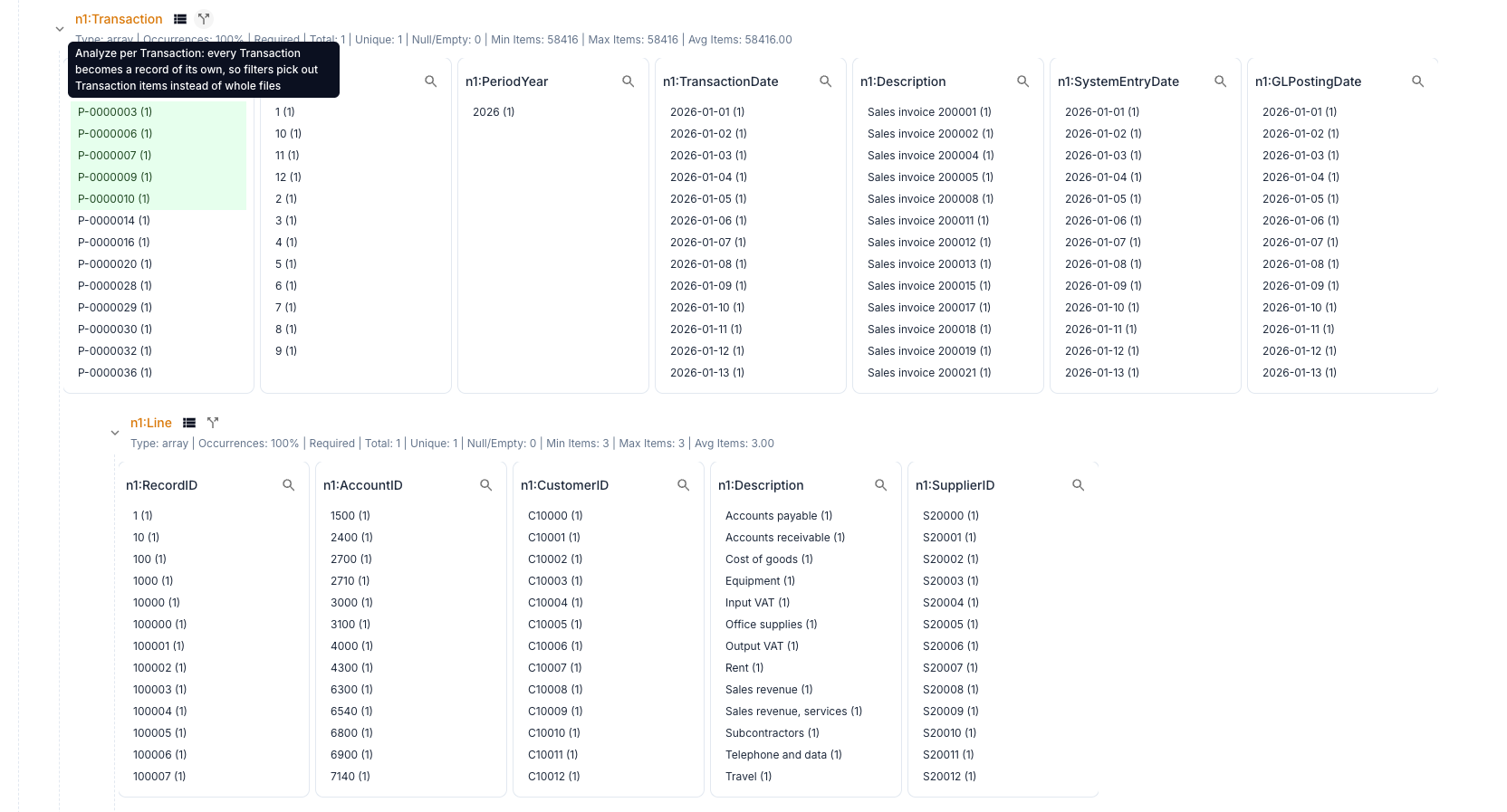
Zip the file and load the ZIP into Data Analysis. Choose a list, such as the transactions of a ledger, and every item becomes a record. Each field gets a list of its values with counts, and one click on a value filters everything else. The records that are left can be exported as files of their own.
- Filter on any combination of values
- See which values occur and how often
- Sum a field for the selection
- Export the matching records as XML files or as a ZIP
Why large XML files are hard to open
Reading the file is seldom the problem. A browser or an editor parses tens of megabytes of XML in a second or two. The trouble comes afterwards.
- Memory. A parsed document takes several times the size of its text. A file of 100 MB can need a gigabyte once it is a tree of objects, and a tool that keeps both the text and the tree needs more.
- Rendering. A list of 200,000 elements becomes 200,000 rows to lay out, also the ones far outside the screen. This is what makes a viewer freeze when you expand a node.
- One long line. Many systems write XML without line breaks. Editors that work line by line then have a single line of 100 MB to handle, which is the worst case for them.
- Syntax coloring. An editor that colors the whole file does so again when you scroll or type.
What works for which question
| You want to | A way that works |
|---|---|
| See how the file starts | head -c 2000 file.xml in a terminal |
| Know whether it is well-formed | xmllint --noout --stream file.xml |
| Understand its structure | A tree view that pages long lists |
| Find one record among many | A table with a filter on the column |
| Know which values occur, and how often | Data Analysis per record |
| Take out a part of it | Filter, then export the records that match. See split a large XML file. |
How large is too large?
Everything runs in your browser, so the limit is the memory of your computer and not a number we can promise. What we have tested ourselves, with synthetic audit files:
- Files of tens of megabytes open well in the tree view.
- A file of 100 MB opens in the tree view, and you should expect to wait for it.
- A file of 200 MB with close to 117,000 transactions, loaded as a ZIP, was analyzed and filtered per transaction in Data Analysis.
- A file of 500 MB was too much for the browser.
For files beyond that, a tool that reads the file as a stream, without building the whole document in memory, is the right choice. XML compresses well, so a ZIP is often a twentieth of the size and much quicker to move around.
All of this applies to JSON files too.
How to open a large XML file in Nodeflip
-
Load the file
Open Nodeflip and drag the file onto the Files menu, or click LOAD. For a file of 100 MB or more, zip it first and load the ZIP.
-
Open it in the tree view
Click the file. Expand the elements you are interested in. Long lists are shown as tables with 100 rows per page.
-
Filter a table
Type in the filter of a column to keep the rows that match, and expand a row to see its content.
-
Or analyze the records
Open Data Analysis and run the analysis. Click the split icon next to a list to analyze per item, then click values to filter.
-
Take out what you need
Export the records that are left by the filters, as files of their own or as a ZIP.
Questions and answers
How large an XML file can I open?
It depends on the memory of your computer. In our own tests, files of tens of megabytes open well in the tree view, a 200 MB file loaded as a ZIP was analyzed and filtered in Data Analysis, and a 500 MB file was too much for the browser.
Is the file uploaded?
No. The file is read and analyzed in your browser and is not uploaded to a server. The app sends anonymous usage statistics (file type and file size, never file names or content) and error reports.
Why should I zip the file first?
Data Analysis reads files straight from a ZIP, and that is the way we have tested the largest files. XML also compresses well: a 200 MB file can be under 10 MB as a ZIP.
Does it work for large JSON files?
Yes. JSON files are opened, paged and analyzed in the same way, and an array of objects can be analyzed per item.
Can I edit a large file?
The source view has an editor, but for a very large file it is better to take out the part you need and work on that.
Is it free?
Yes, Nodeflip is free to use. Without registering you can have two files loaded at a time and work with ZIP archives of up to 25 files. Beyond that you need to register, which is also free.
A file your editor gave up on?
Open it in your browser and filter it down to the part you need.
Open a large file in Nodeflip