Data Transform: XSLT in Your Browser
Apply an XSLT 1.0, 2.0 or 3.0 stylesheet to one XML file, several files or every XML file in a ZIP archive. Preview the result while you edit, and get it back as a file or a new ZIP. Everything runs locally, with no processor to install and no uploads.
Transform XML Files One at a Time or by the Thousand
Write or load a stylesheet, check the result on a real file, then run it over everything you selected.
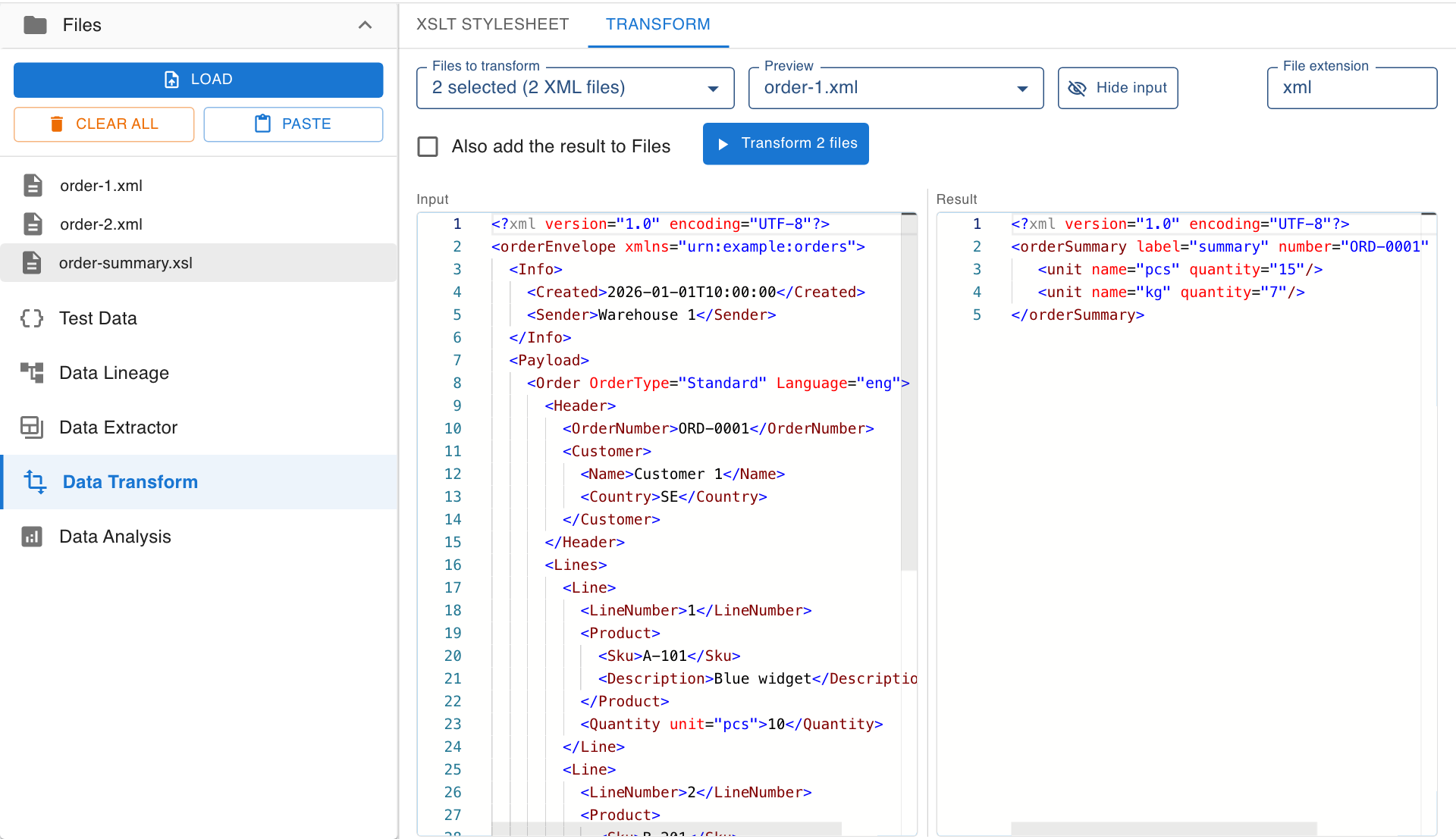
Live Preview, Side by Side
The Transform tab shows one of your files next to what the stylesheet makes of it. The result follows every change to the stylesheet and its parameters, so you know what you will get before you run anything.
- Input and result side by side, with syntax highlighting
- Switch the previewed file to check several inputs
- Resize the input against the result, or hide it
- Errors in the stylesheet or the file are shown where they occur
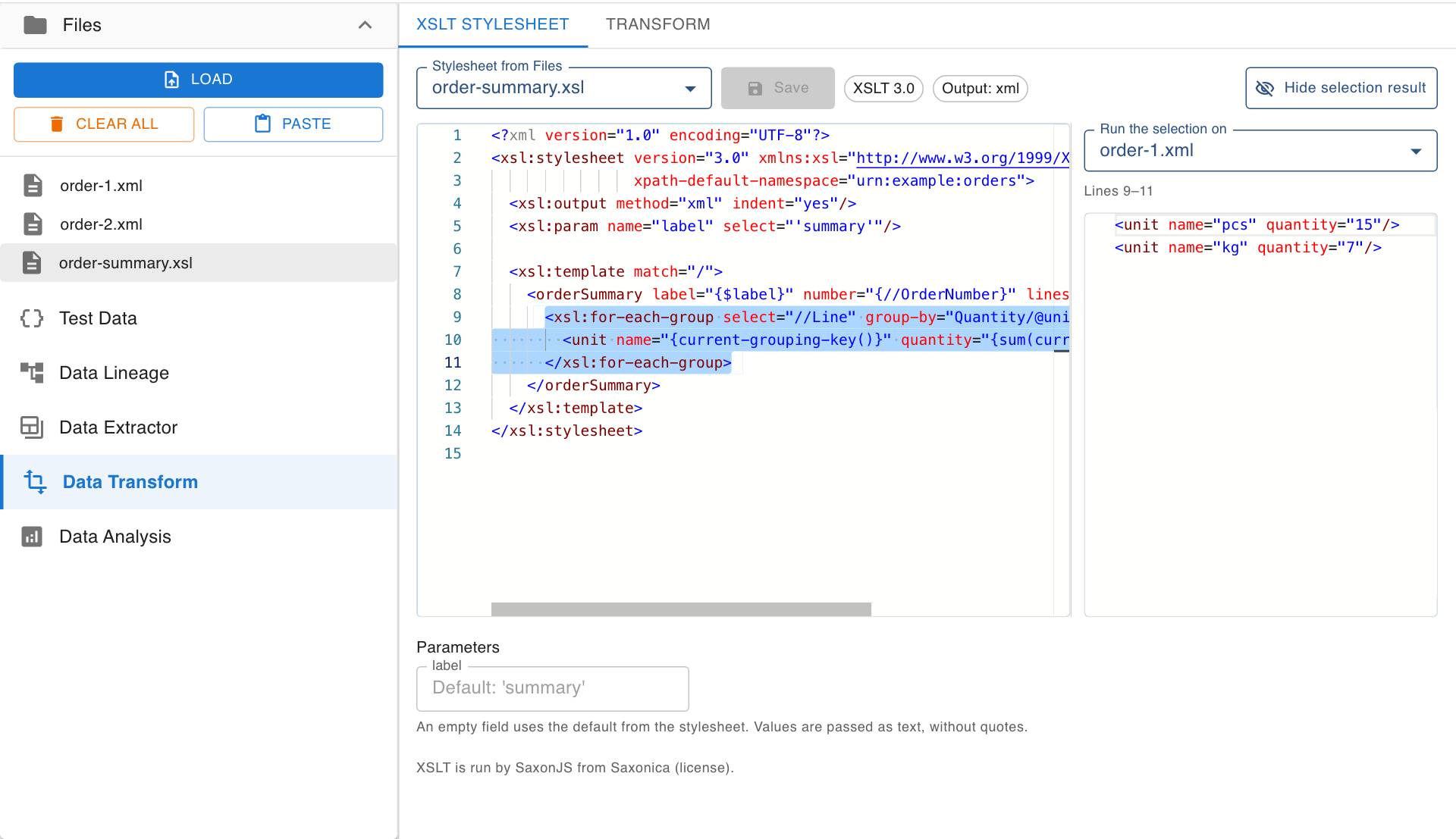
See What the Selected Lines Produce
Select lines in the stylesheet and a panel shows exactly what those lines write for a file you choose: elements, attributes and text, once for every time the lines run. A practical way to debug a stylesheet one instruction at a time.
- Works on any instruction, attribute or piece of text
- Select a variable to see its value
- A partial selection is widened to the whole instruction
- The result and the line numbers of the stylesheet stay the same
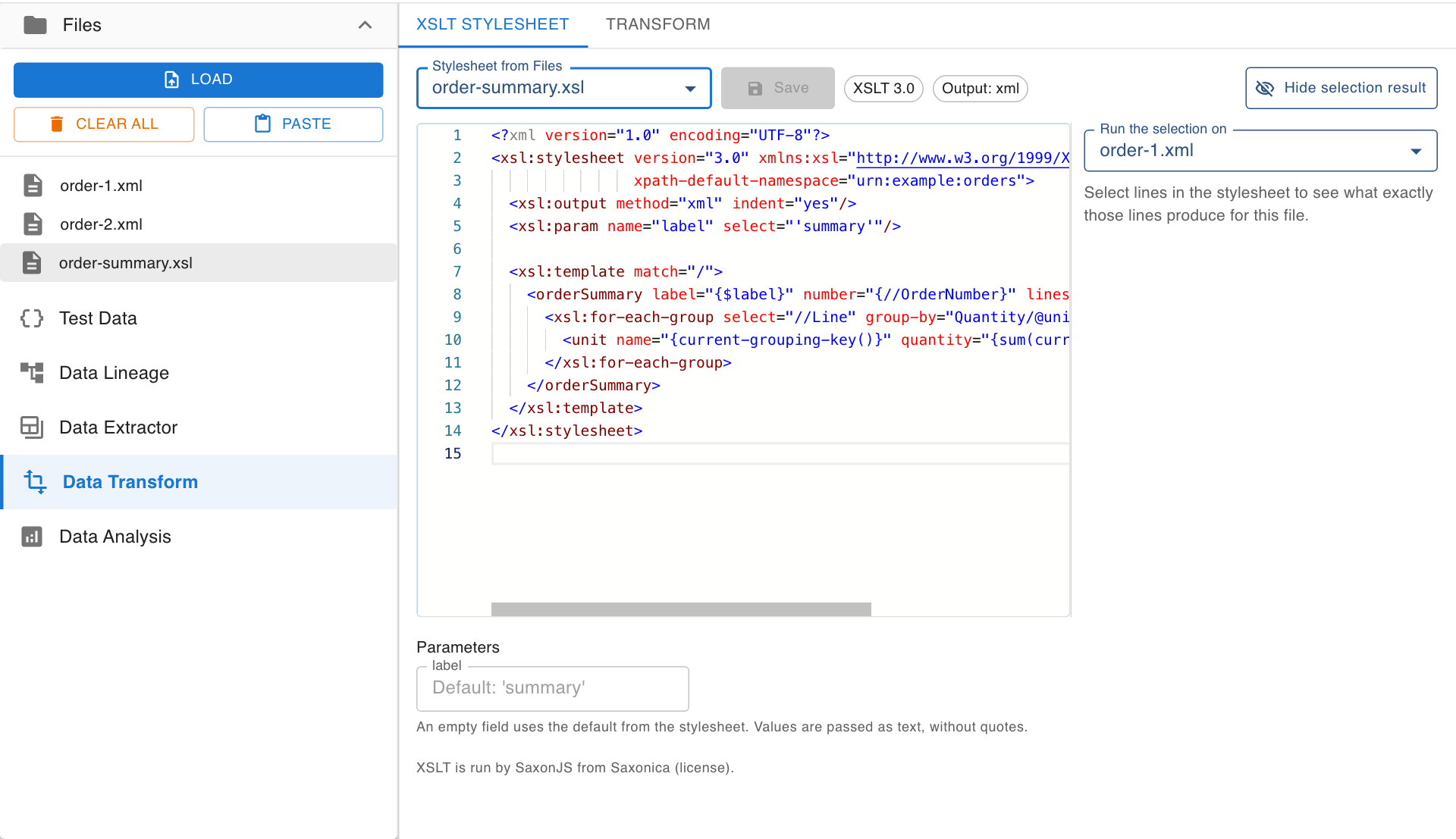
A Stylesheet Editor That Knows XSLT
Load .xsl and .xslt files together with your data and choose one as the stylesheet, or write one from scratch. Nodeflip reads the version, the output method and the parameters straight from the stylesheet.
- XSLT 1.0, 2.0 and 3.0, run by SaxonJS
- A field for every stylesheet parameter, with its default shown
- Save changes back to the stylesheet file in Files
- Messages from
xsl:messageare collected and shown
Batch Transform Files and ZIP Archives
Select several files, or a ZIP, and the stylesheet is compiled once and applied to every XML file. The result comes back as a new ZIP with the same file names and folders, ready for the next step in your pipeline.
- One file in, one file out, named after what the stylesheet writes
- Many files or a ZIP in, a ZIP out with names and folders kept
- XML, text, HTML or JSON output with a matching file extension
- Optionally add the result to Files to analyze or compare it
Private by Design
The transformation runs in a background worker in your browser. Your files and your stylesheets are never uploaded, and a stylesheet cannot read other files or URLs.
- No server-side processing of your data
- No XSLT processor or Java runtime to install
- The page stays responsive while large batches run
- Available on the Free, Pro and Pro+ plans
Frequently Asked Questions
Which XSLT versions are supported?
XSLT 1.0, 2.0 and 3.0. Stylesheets are run by SaxonJS in your browser, so features such as xsl:for-each-group and XPath 3.1 functions work.
Can I transform many files at once?
Yes. Select several files or a ZIP archive and every XML file is transformed with the same stylesheet. You get a ZIP back with the same file names and folders. ZIP files require the Pro or Pro+ plan.
Is my data uploaded anywhere?
No. Files and stylesheets are processed in your browser and never leave your computer. See local processing.
Can the output be something other than XML?
Yes. The output method of the stylesheet decides: XML, text, HTML or JSON. The file extension is suggested from the output method and can be changed before you run.
Ready to run your first transformation?
Load an XML file and a stylesheet and see the result in seconds.
Get Started