Peppol & UBL Invoice Viewer
Open a Peppol BIS Billing 3.0 or UBL 2.1 invoice and read it as a tree and as tables instead of raw XML. Load one invoice, or a ZIP with hundreds, and see which fields, tax categories and totals the files really contain.
- Your files never leave your browser
- Free, no account needed to start
- Nothing to install
Your files never leave your browser
Invoices are customer data: names, addresses, bank accounts, prices and what was bought. Many online XML viewers want you to paste or upload them.
Nodeflip reads, parses and analyzes your files with code that runs in your own browser. The files are not uploaded to a server, so there is no copy of them anywhere else to secure, delete or explain to a customer. That makes it usable when you are not allowed to paste customer data into an AI service or upload it to an online tool.
What the app does send: anonymous usage statistics (file type and file size, never file names or content) and error reports. More about local processing.
One invoice, or every invoice in the archive
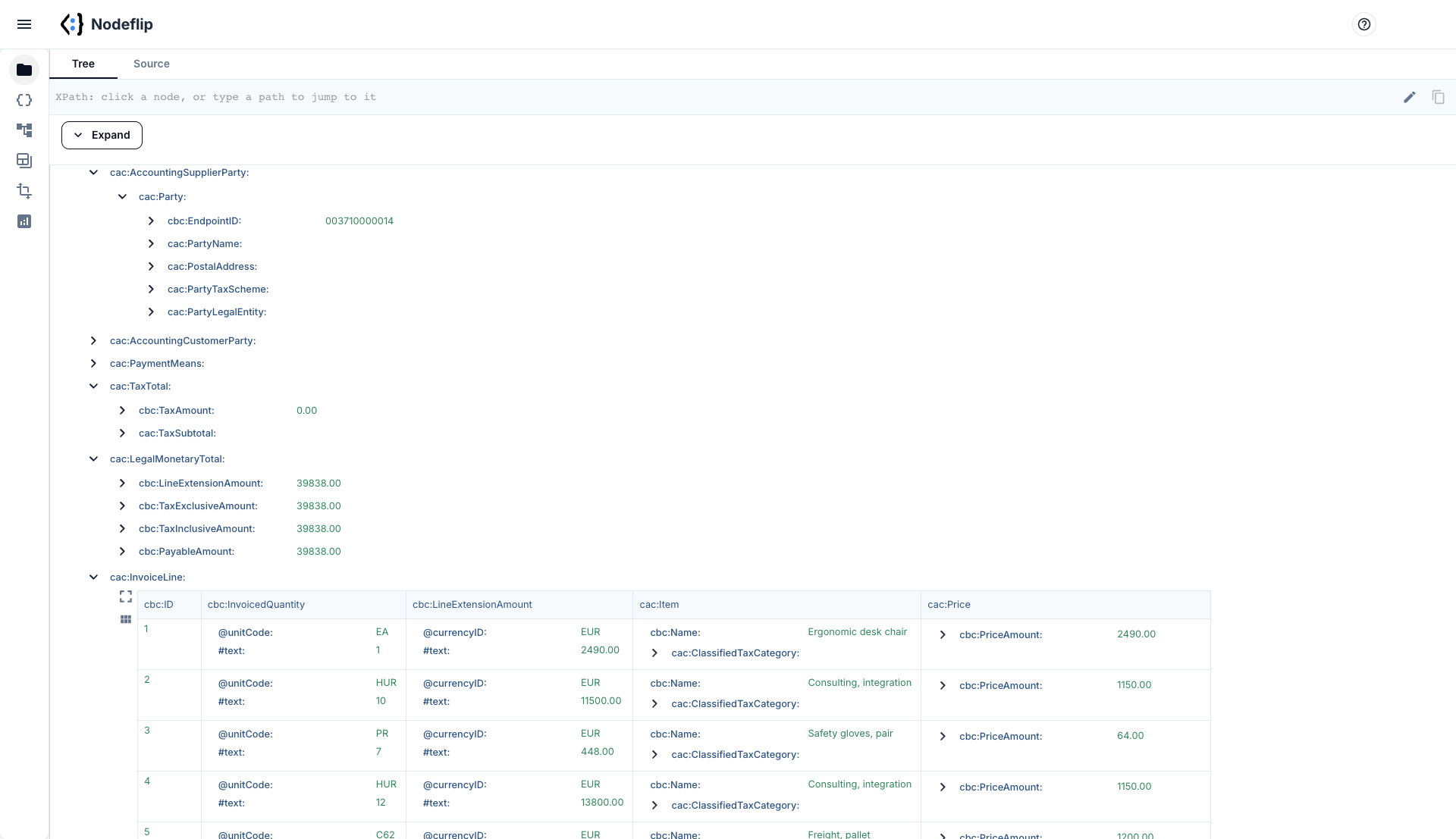
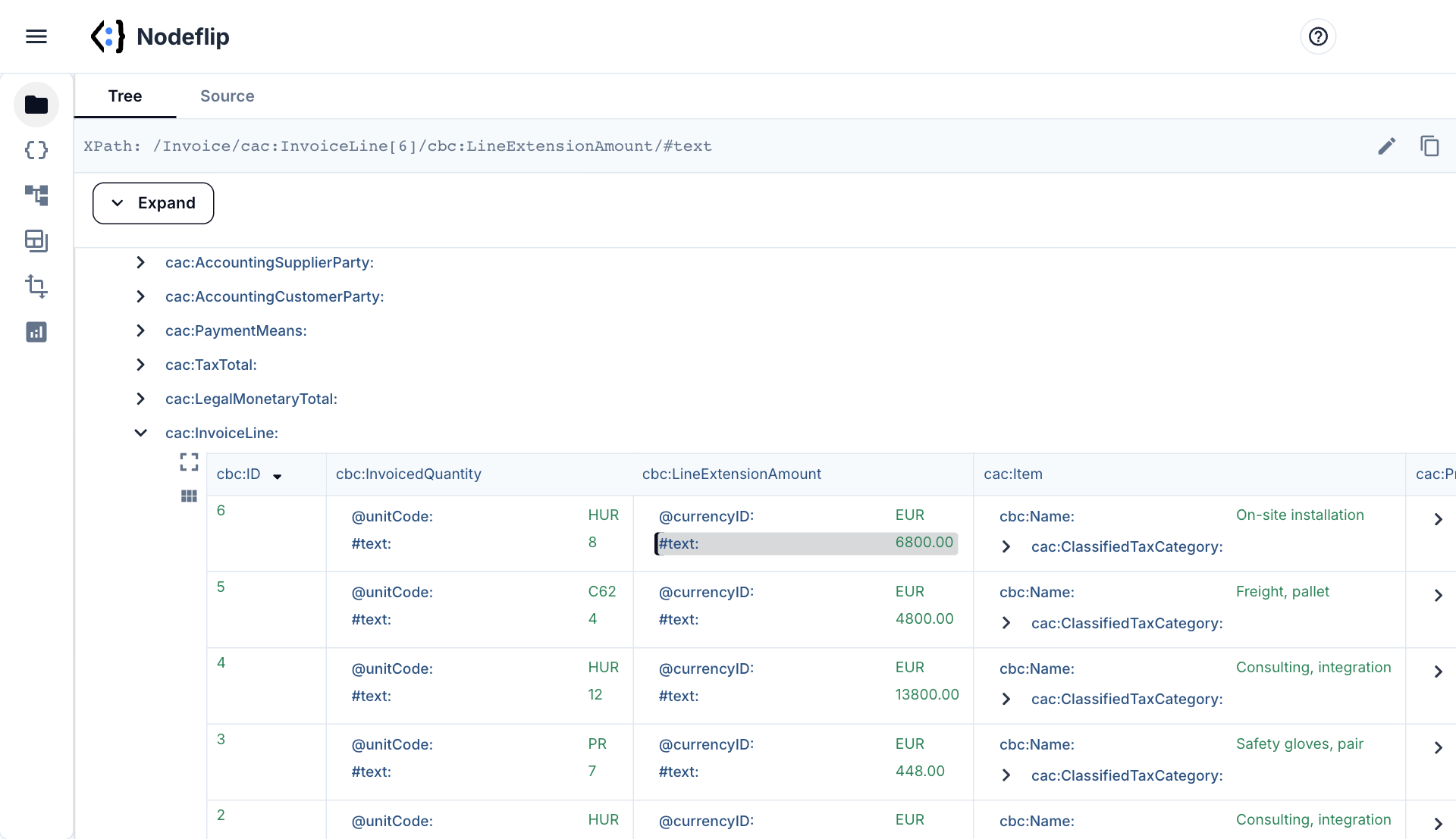
Read a single invoice without counting angle brackets
The tree view shows the invoice as a hierarchy you can expand level by level. Repeating elements such as invoice lines are shown as a grid that you can sort and filter. Click any node to get its XPath, ready to paste into a mapping or a support ticket.
- Tree, grid and source view of the same file
- Sort and filter invoice lines as a table
- Copy the XPath of any element or attribute
- Compare two invoices side by side
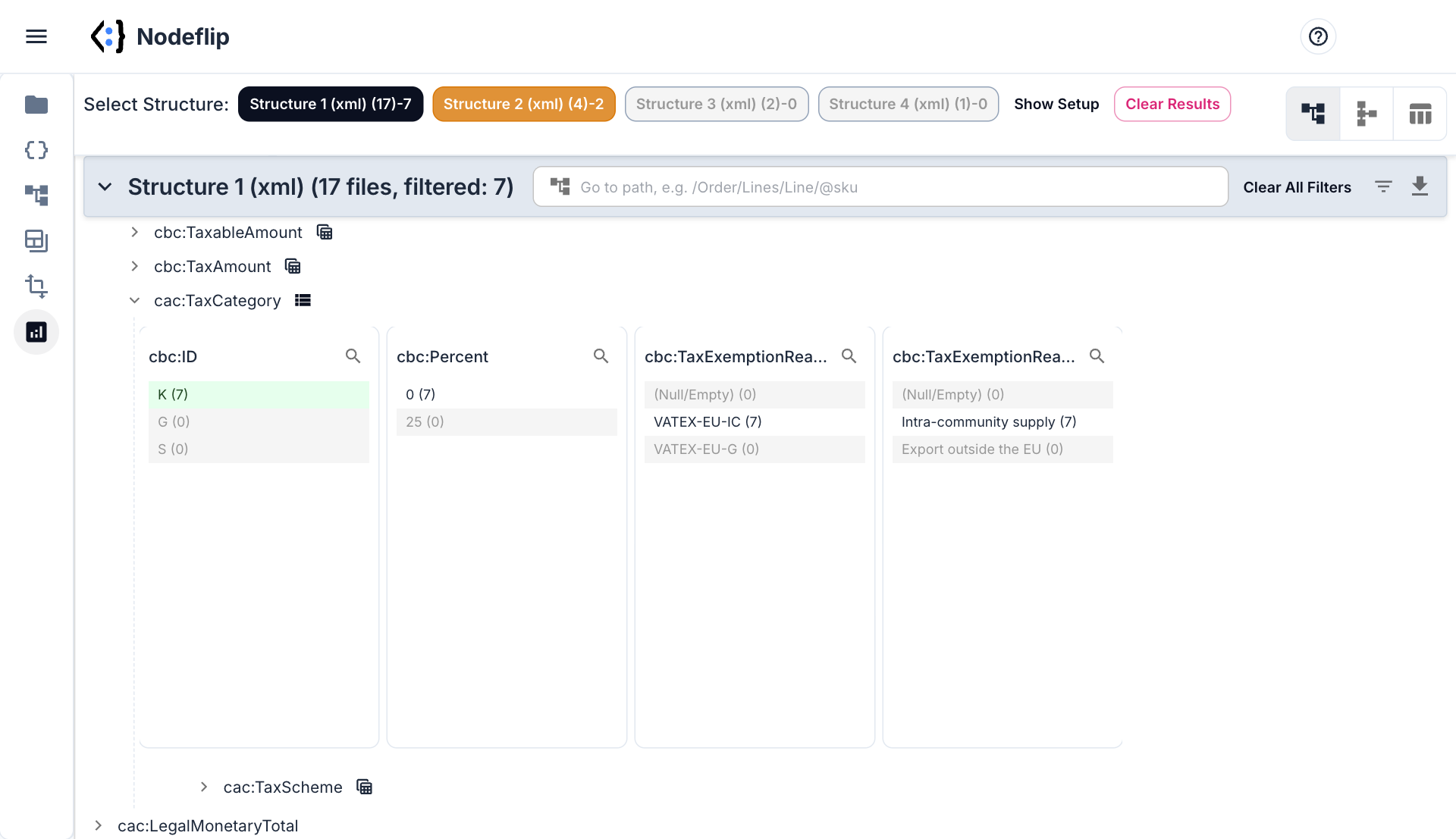
Hundreds of invoices: what is actually in them?
Load a ZIP and Data Analysis groups the files by structure, so invoices, credit notes and documents wrapped in an SBDH envelope end up in separate groups. For every field you see how many files contain it and which values occur. Click a value, for example tax category K or one supplier, and everything else is filtered to the matching files.
- See how many of the files contain
BuyerReferenceor an order reference - List every currency, tax category and endpoint scheme in use
- Min, max, average and sum of amounts, updated as you filter
- Export exactly the files that match your filter
What is inside a Peppol BIS Billing 3.0 invoice
Peppol BIS Billing 3.0 is a set of rules on top of the European standard EN 16931, written in the UBL 2.1 XML syntax. In practice that means two document types, Invoice and CreditNote, where basic values use the cbc: prefix and groups of values use cac:. The prefixes themselves are not fixed. Some senders write ns2:ID or use a default namespace, and it is still the same element.
The first two elements tell you what you have. A BIS Billing 3.0 document carries this CustomizationID:
<cbc:CustomizationID>urn:cen.eu:en16931:2017#compliant#urn:fdc:peppol.eu:2017:poacc:billing:3.0</cbc:CustomizationID>
<cbc:ProfileID>urn:fdc:peppol.eu:2017:poacc:billing:01:1.0</cbc:ProfileID>
Where the values you are looking for live
| You want | Path in the invoice | EN 16931 term |
|---|---|---|
| Invoice number, date | cbc:ID, cbc:IssueDate | BT-1, BT-2 |
| Invoice or credit note | cbc:InvoiceTypeCode (380 invoice, 381 credit note) | BT-3 |
| Currency | cbc:DocumentCurrencyCode | BT-5 |
| Buyer reference, order number | cbc:BuyerReference, cac:OrderReference/cbc:ID | BT-10, BT-13 |
| Seller name and VAT number | cac:AccountingSupplierParty/cac:Party/cac:PartyLegalEntity/cbc:RegistrationName, .../cac:PartyTaxScheme/cbc:CompanyID | BT-27, BT-31 |
| Peppol addresses | .../cac:Party/cbc:EndpointID with @schemeID, for seller and buyer | BT-34, BT-49 |
| Bank account and payment reference | cac:PaymentMeans/cac:PayeeFinancialAccount/cbc:ID, cac:PaymentMeans/cbc:PaymentID | BT-84, BT-83 |
| VAT per category | cac:TaxTotal/cac:TaxSubtotal with cbc:TaxableAmount, cbc:TaxAmount, cac:TaxCategory/cbc:ID and cbc:Percent | BT-116 to BT-119 |
| Totals | cac:LegalMonetaryTotal: cbc:LineExtensionAmount, cbc:TaxExclusiveAmount, cbc:TaxInclusiveAmount, cbc:PayableAmount | BT-106, BT-109, BT-112, BT-115 |
| Lines | cac:InvoiceLine: cbc:InvoicedQuantity with @unitCode, cbc:LineExtensionAmount, cac:Item/cbc:Name, cac:Price/cbc:PriceAmount | BT-129 to BT-131, BT-153, BT-146 |
Things that trip people up
- Credit notes are a different document. The root element is
CreditNote, the lines arecac:CreditNoteLinewithcbc:CreditedQuantity, and the type code is incbc:CreditNoteTypeCode. A mapping written forInvoicefinds nothing in them. - The envelope. Files taken straight from an access point are often wrapped in a
StandardBusinessDocument(SBDH), with the invoice one level down. Files exported from an ERP system usually are not. - The reference the buyer needs. Peppol requires a buyer reference or an order reference (rule PEPPOL-EN16931-R003). Which of the two a given buyer wants is a common reason for rejected invoices.
- Tax categories with 0 %.
Sis standard rated.AE(reverse charge),K(intra-community supply),G(export),ZandEall have no VAT amount but mean different things, and most of them need an exemption reason. - Unit codes.
@unitCodeuses UN/ECE Recommendation 20, so a piece isC62orEAand an hour isHUR, not the unit text from the ERP system. - Embedded attachments. A PDF copy can sit base64-encoded in
cac:AdditionalDocumentReference, which is why some invoices are several megabytes.
Nodeflip is a viewer and an analysis tool. It does not validate an invoice against the Peppol rules. Use it to see what the files contain and how they differ, and a validator to decide whether a file is compliant.
How to open Peppol invoices in Nodeflip
-
Load the file
Open Nodeflip and drag the
.xmlinvoice onto the Files menu, or click LOAD. A ZIP with many invoices is loaded the same way. -
Read it in the tree view
Click the file. Expand the parts you need, such as
AccountingSupplierPartyorTaxTotal. The invoice lines are shown as a grid. -
Copy the path you need
Click a node and its XPath is shown at the top of the window. Copy it into your mapping, your test or your question to the sender.
-
Analyze many invoices at once
Open Data Analysis, select the ZIP and run the analysis. Each detected structure gets its own button, with the number of files in it.
-
Filter by clicking values
Click a currency, a tax category or a supplier to keep only the matching invoices. Counts and aggregates follow the filter, and the matching files can be exported.
No invoice at hand? Open one sample invoice in Nodeflip · open 24 sample invoices and credit notes, already analyzed
Questions and answers
Does Nodeflip validate invoices against the Peppol rules?
No. Nodeflip shows and analyzes the content of the files. It does not run the EN 16931 or Peppol validation rules, so use a validator when you need to know whether an invoice is compliant.
Are my invoices uploaded?
No. The files are read and analyzed in your browser and are not uploaded to a server. The app sends anonymous usage statistics (file type and file size, never file names or content) and error reports.
Can I open UBL documents that are not Peppol?
Yes. Nodeflip opens any well-formed XML, so UBL orders, despatch advices and national UBL variants work the same way, as do invoices in other XML syntaxes.
Can I see an invoice the way it looks on paper?
No. Nodeflip shows the data as a tree, as grids and as source, which is what you need when you build or debug an integration. It does not render a printable invoice layout.
What happens with invoices that have different namespace prefixes?
They open like any other file. The prefix is only a label chosen by the sending system, and the element names and the structure are the same.
Is it free?
Yes, Nodeflip is free to use. Without registering you can have two files loaded at a time and work with ZIP archives of up to 25 files. Beyond that you need to register, which is also free.
Got an invoice you need to understand?
Open it in your browser and find the field you are looking for.
Open an invoice in Nodeflip