camt.053 Viewer
Open a camt.053 bank statement and see balances and entries as a tree and as tables instead of raw ISO 20022 XML. Filter the entries on debit or credit, open one to its details, and find the reference you are looking for.
- Your files never leave your browser
- Free, no account needed to start
- Nothing to install
Your files never leave your browser
A bank statement shows who a company pays, who pays it, how much and when. Pasting one into an online XML viewer means sending all of that to someone else's server.
Nodeflip reads, parses and analyzes your files with code that runs in your own browser. The files are not uploaded to a server, so there is no copy of them anywhere else to secure, delete or explain to a customer. That makes it usable when you are not allowed to paste customer data into an AI service or upload it to an online tool.
What the app does send: anonymous usage statistics (file type and file size, never file names or content) and error reports. More about local processing.
From ISO 20022 tags to something you can read
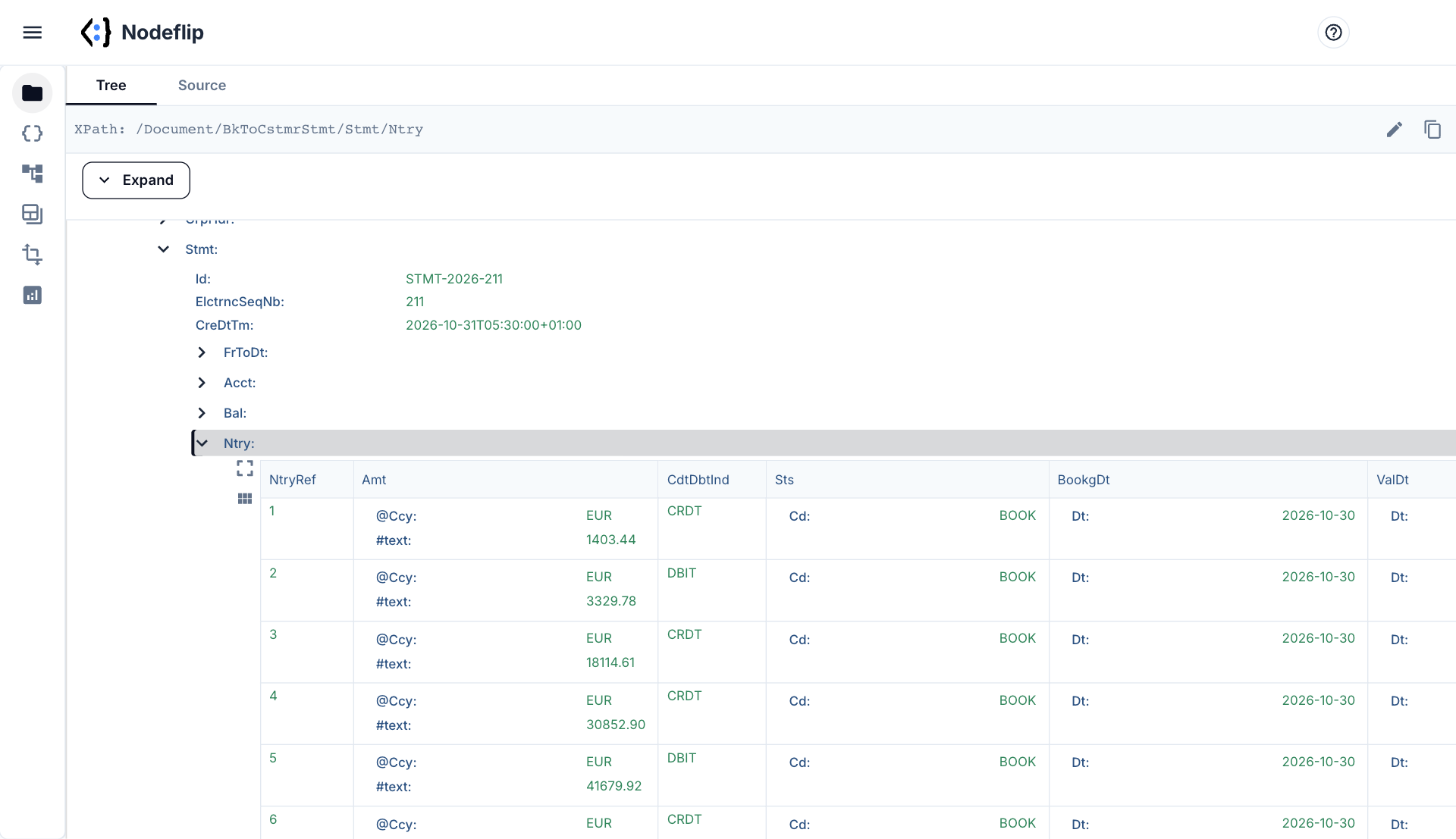
Entries as a table
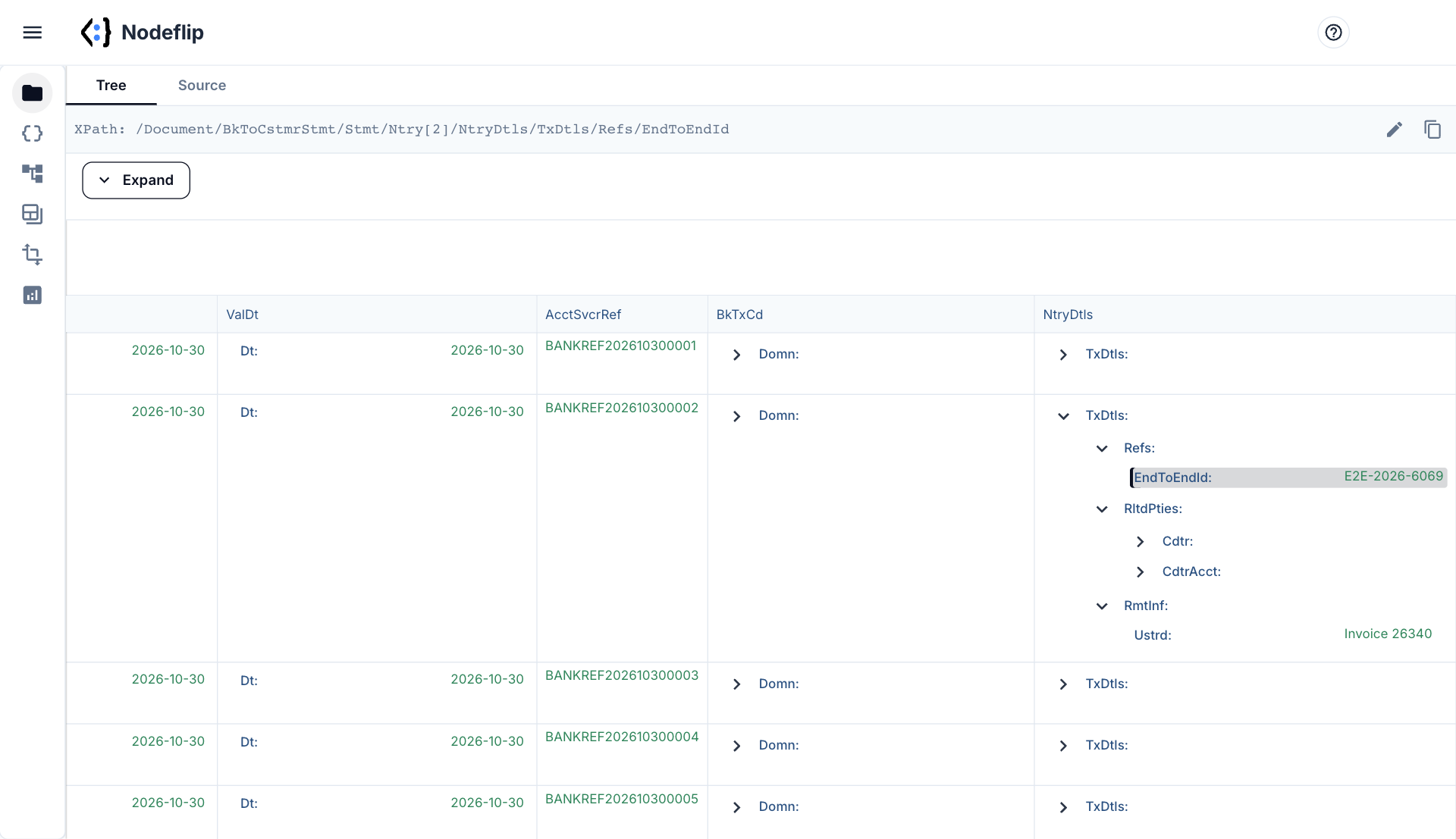
Every Ntry becomes a row, with amount, credit or debit indicator, status and dates side by side. Filter CdtDbtInd on DBIT to see only outgoing payments, and expand a row to see its transaction details.
- Balances and entries as grids
- Filter the rows on a value, such as
DBIT - Expand an entry to its
TxDtls - Copy the XPath of any element for your mapping
A month of statements at once
Load a ZIP with daily statements and Data Analysis reads all of them together. Click a counterparty name or an account and every other field is filtered to the matching statements. Statements in a different version, or camt.052 and camt.054 files that ended up in the same folder, show up as separate structures.
- Find which statements contain a given reference or counterparty
- See every transaction code and currency that occurs
- Spot files in another camt version at a glance
- Export the statements that match your filter
How to read a camt.053 statement
camt.053 is the ISO 20022 message a bank sends with the booked entries on an account, normally once per day. Its full name is Bank to Customer Statement. The version is in the namespace of the root element:
<Document xmlns="urn:iso:std:iso:20022:tech:xsd:camt.053.001.08">
  <BkToCstmrStmt>
    <GrpHdr>...</GrpHdr>
    <Stmt>...</Stmt>
  </BkToCstmrStmt>
</Document>
Where the values live
| You want | Path under Stmt |
|---|---|
| Account | Acct/Id/IBAN, Acct/Ccy |
| Statement number and period | ElctrncSeqNb, FrToDt |
| Opening and closing balance | Bal where Tp/CdOrPrtry/Cd is OPBD or CLBD, with Amt and CdtDbtInd |
| An entry | Ntry: Amt with @Ccy, CdtDbtInd, BookgDt/Dt, ValDt/Dt |
| What kind of transaction | Ntry/BkTxCd: Domn/Cd, Fmly/Cd, SubFmlyCd, or a bank-specific Prtry code |
| Your own payment reference | Ntry/NtryDtls/TxDtls/Refs/EndToEndId |
| Counterparty | .../TxDtls/RltdPties: Dbtr or Cdtr, and DbtrAcct or CdtrAcct |
| Invoice or OCR reference | .../TxDtls/RmtInf/Ustrd (free text) or RmtInf/Strd/CdtrRefInf/Ref (structured) |
Things that trip people up
- Amounts have no sign.
Amtis always positive. Whether money came in or went out is inCdtDbtInd:CRDTorDBIT. The same goes for balances. IfRvslIndistrue, the entry reverses an earlier one. - One entry, many transactions. A batch booking is a single
Ntrywith the total amount and manyTxDtlsunderneath. Counting entries does not give the number of payments. - Versions differ in the details. In version 02 the status is
<Sts>BOOK</Sts>and a party name isDbtr/Nm. In version 08 they areSts/CdandDbtr/Pty/Nm. A mapping built for one silently finds nothing in the other. - Structured or unstructured. The same reference can arrive in
Ustrdfrom one payer and inStrdfrom another. A reconciliation that reads only one of them misses payments. - The check that should always hold. Opening balance plus credits minus debits equals closing balance. When it does not, an entry is missing or a sign is read wrong.
- The siblings. camt.052 is the intraday report (
BkToCstmrAcctRpt) and camt.054 the debit and credit notification (BkToCstmrDbtCdtNtfctn). They look alike and have different root elements.
Nodeflip opens all of them, since it reads any well-formed XML. It is a viewer and an analysis tool, and does not validate a file against the ISO 20022 schema or a bank's rules.
How to open a camt.053 file in Nodeflip
-
Load the statement
Open Nodeflip and drag the
.xmlfile onto the Files menu, or click LOAD. A ZIP with many statements is loaded the same way. -
Check account and balances
Click the file and expand
BkToCstmrStmtandStmt.Acctand theBalelements are at the top. -
Read the entries as a table
The
Ntryelements are shown as a grid. Filter onCdtDbtIndto separate incoming from outgoing. -
Open an entry
Expand a row down to
TxDtlsfor references, counterparty and remittance information. Click a node to copy its XPath. -
Search across many statements
With a ZIP loaded, open Data Analysis and run the analysis. Click a value to filter all statements at once.
No statement at hand? Open a synthetic camt.053 statement in Nodeflip · open 20 daily statements, already analyzed
Questions and answers
Which camt.053 versions can I open?
All of them, including camt.053.001.02 and camt.053.001.08. Nodeflip reads any well-formed XML and does not depend on the schema version.
Can I open camt.052 and camt.054 as well?
Yes. They open the same way, and so do other ISO 20022 messages such as pain.001.
Is the statement uploaded?
No. The file is read and analyzed in your browser and is not uploaded to a server. The app sends anonymous usage statistics (file type and file size, never file names or content) and error reports.
Does Nodeflip validate the statement?
No. It shows and analyzes the content. It does not check the file against the ISO 20022 schema or against the implementation guide of a bank.
Can I convert the statement to CSV or Excel?
Nodeflip is built for reading and analyzing the XML, not for conversion. To pull chosen values out of one or many statements, use the Data Extractor with an XPath expression.
Is it free?
Yes, Nodeflip is free to use. Without registering you can have two files loaded at a time and work with ZIP archives of up to 25 files. Beyond that you need to register, which is also free.
A statement you need to read now?
Open it in your browser and see the entries as a table.
Open a statement in Nodeflip