Syntax Highlighting
Make your XML and JSON data more readable with intelligent syntax highlighting.
Enhanced Code Readability
Color-coded syntax highlighting makes complex XML and JSON structures easier to understand at a glance.
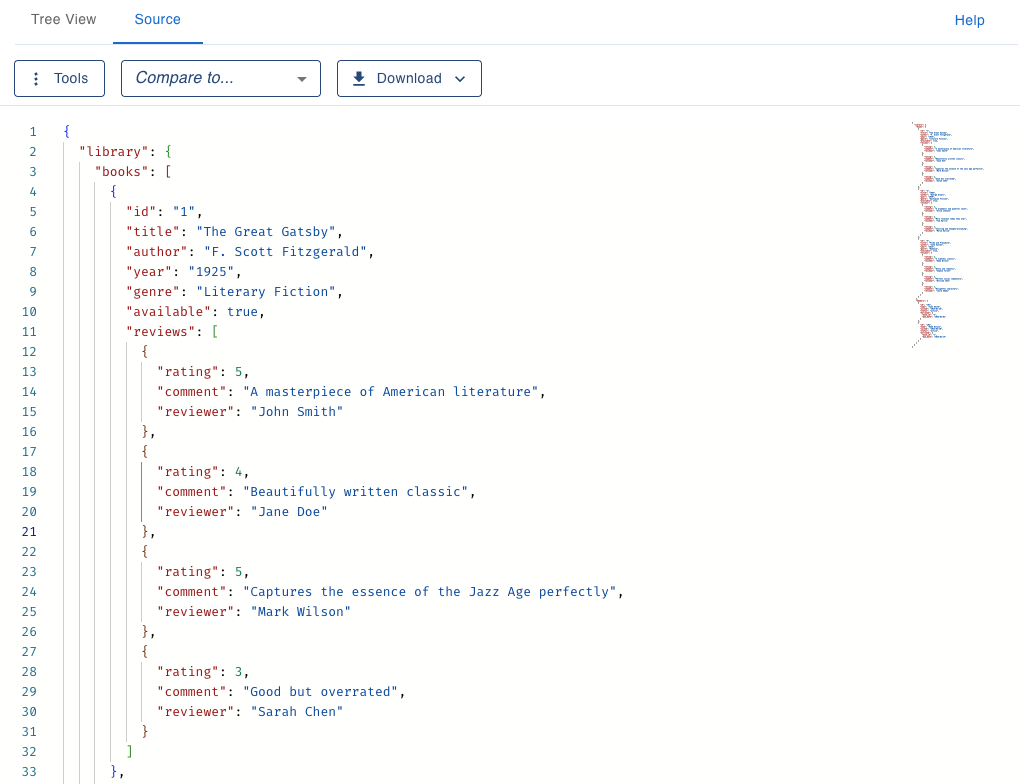
Intelligent Color Coding
Our syntax highlighting intelligently identifies different elements of your XML and JSON data, making it easier to distinguish between:
- Element names and tags
- Attribute names and values
- String values
- Numeric values
- Special characters and syntax
Developer-Friendly Features
Our syntax highlighting includes additional features designed specifically for developers:
- Line numbering for easier reference
- Bracket matching to identify structure
- Error detection to spot syntax issues
Benefits
Effective syntax highlighting provides numerous advantages:
- Faster code comprehension
- Reduced error identification time
- Easier navigation through complex structures
- Less eye strain during long coding sessions
- Improved overall productivity
Powered by Monaco Editor
Nodeflip uses the powerful Monaco Editor - the same editor that powers VS Code - to provide an exceptional syntax highlighting experience.
- Industry-leading syntax highlighting engine
- Optimized for performance even with large files
- Support for XML and JSON syntax rules
Looking to compare multiple files?
Our syntax highlighting is also an integral part of our powerful file comparison tool. Compare different versions of your XML and JSON files side by side, with clear visual indicators for changes.
Explore File Comparison FeaturesReady to make your data more readable?
Try our syntax highlighting features and discover how much easier it is to work with XML and JSON data.
Get Started