Someone asks for a list of all order numbers in last week’s export. The export is a ZIP with 4,000 XML files. You could write a script, but the question will be a different one tomorrow.
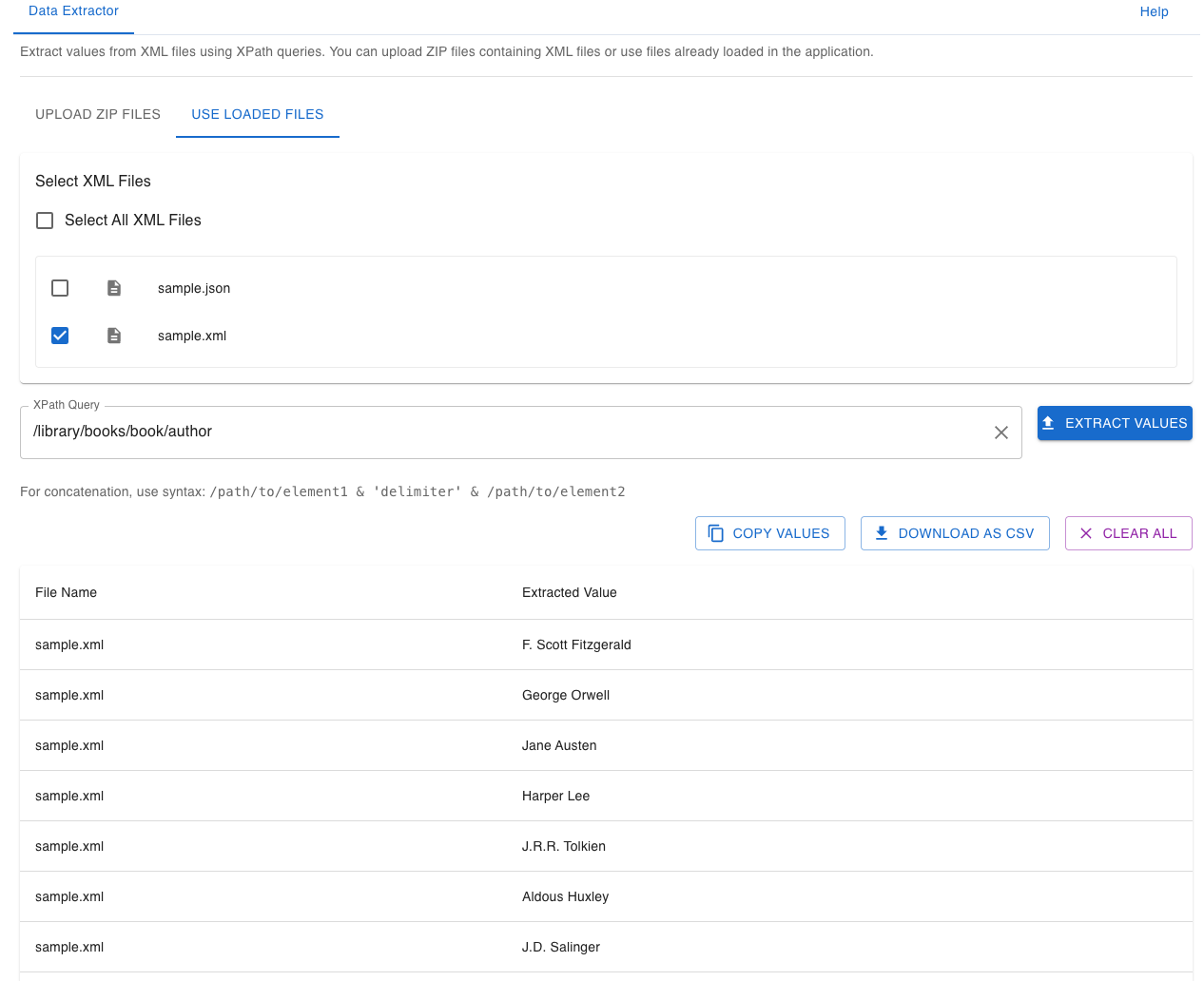
The Data Extractor in Nodeflip runs one XPath expression over every file you select, including files inside ZIP archives, and lists the result per file. This post goes through the XPath patterns that cover most everyday questions.
The Sample File
<order id="ORD-0001" type="Standard">
  <customer>
    <name>Customer 1</name>
    <country>SE</country>
  </customer>
  <lines>
    <line>
      <sku>A-101</sku>
      <quantity unit="pcs">10</quantity>
    </line>
    <line>
      <sku>B-201</sku>
      <quantity unit="kg">7</quantity>
    </line>
  </lines>
</order>
Seven Patterns That Cover Most Cases
| You want | XPath | Result for the sample |
|---|---|---|
| An element by its full path | /order/customer/name |
Customer 1 |
| An element wherever it is | //sku |
A-101 and B-201 |
| An attribute | /order/@id |
ORD-0001 |
| An attribute further down | //quantity/@unit |
pcs and kg |
| The first of several | /order/lines/line[1]/sku |
A-101 |
| Elements that meet a condition | //line[quantity/@unit='kg']/sku |
B-201 |
| Elements whose text contains something | //sku[contains(., 'A-')] |
A-101 |
Two things to remember: positions in XPath start at 1, not 0, and // searches the whole document, which is convenient but matches every element with that name on every level.
When an expression matches several nodes in one file, each match gets its own row in the result, with the same file name.
Getting the Path Without Writing It
You do not have to work out the path by hand. Open one of the files in the Tree View and click the node you want: the XPath bar shows its path, and the copy button puts it on the clipboard. Paste it into the Data Extractor and adjust it if needed, for example by removing a position such as [2] to get all lines instead of the second one.
Two Values on One Row
Often one value is not enough: you want the order number and the country. The Data Extractor has its own syntax for joining values from the same file:
/order/@id & ';' & /order/customer/country
This gives ORD-0001;SE as one extracted value per file.
Namespaces
Many real files declare a default namespace:
<order xmlns="urn:example:orders">
In strict XPath, /order no longer matches such a file. The Data Extractor tries to handle namespaces for you, including default namespaces, so the plain path usually works. If it does not, the namespace-independent form always will:
//*[local-name()='sku']
From Result to Spreadsheet
Above the result table you can:
- Copy Values to paste the extracted values somewhere else.
- Download as CSV to get file names and values in a file that opens in any spreadsheet.
- Show or hide the XML tags around the values, depending on whether you want
A-101or<sku>A-101</sku>.
The ten most recent queries are suggested when you click in the query field, so yesterday’s expression is still there tomorrow.
When XPath Is Not the Right Tool
If the question is “which values exist, and in how many files?” rather than “give me this value from each file”, the Data Analysis module is quicker: it lists every attribute with its values and counts without any expression at all.
See the Data Extractor documentation for all options.