An integration rarely breaks because a value changed. It breaks because a field disappeared, moved one level down, or stopped being present in every response. Release notes do not always mention it, and a diff of two sample files only tells you about those two files.
Schema Drift Analysis in Nodeflip’s Data Analysis module answers the question from the data itself: across all the responses you have, which attributes exist in one version and not in the other, and which are only there some of the time?
What Counts as Drift
Three kinds of change cause most of the trouble:
- Removed attributes: a field that existed in every file of the old version and in none of the new.
- Attributes that became optional: present in 100% of the old files, but only in 80% of the new ones. This is the kind a two-file diff misses, because the two files you picked may both have it.
- Added attributes: usually harmless, but they matter if your parser is strict or your target table has a fixed set of columns.
Step by Step
- Collect responses from both versions. A few hundred of each is better than one of each. Put them in a ZIP, or load the files directly.
- Run the analysis. Open Data Analysis, select the files and click Analyze Selected Files. Nodeflip groups the files by structure, so responses from the two versions end up as separate structures if they differ enough.
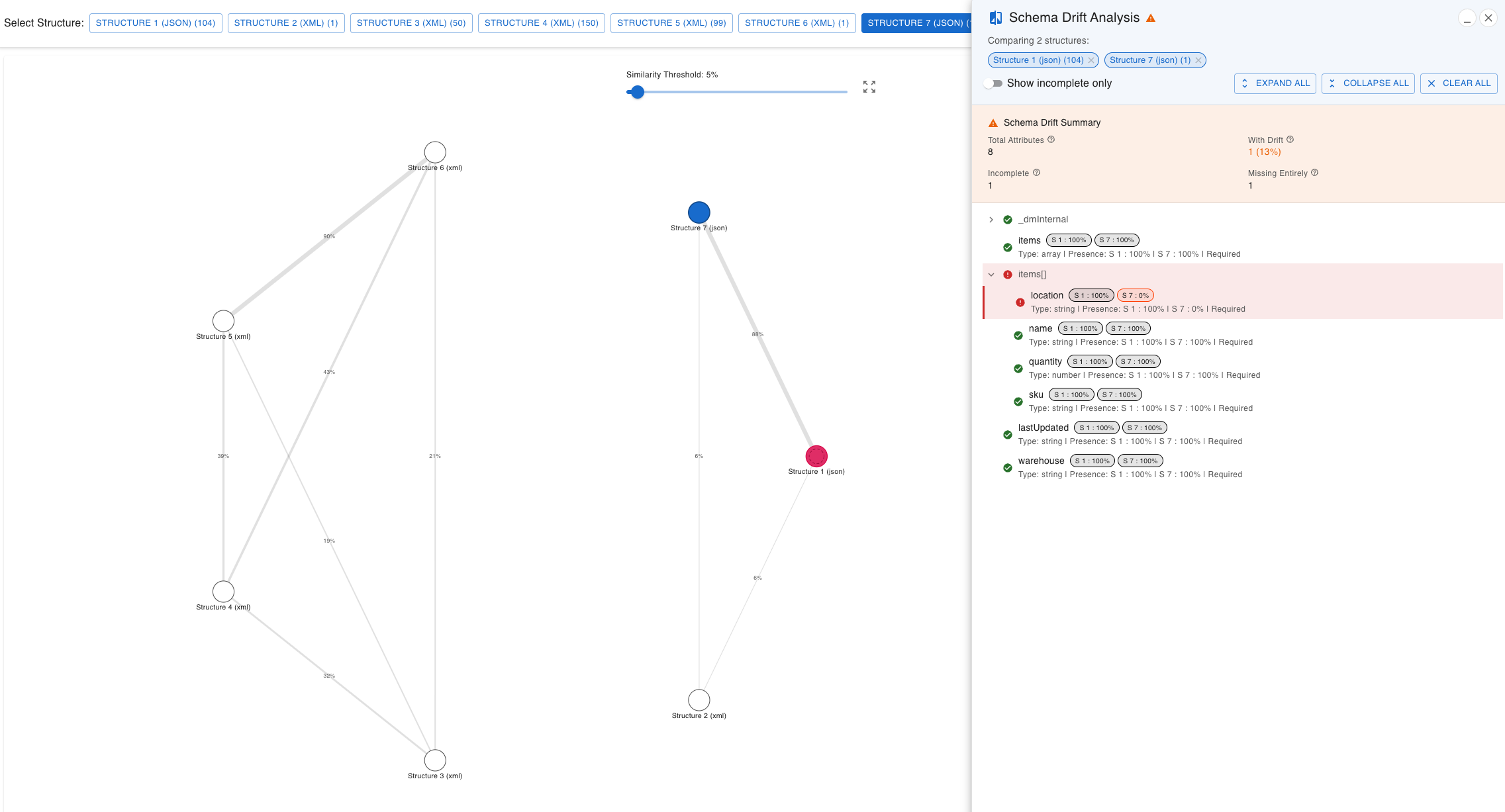
- Open the similarity diagram. Each structure is a node, and the line between two nodes shows how similar they are in percent.
- Select the structures to compare with Ctrl/Cmd + click. The Schema Drift panel opens.
Reading the Result
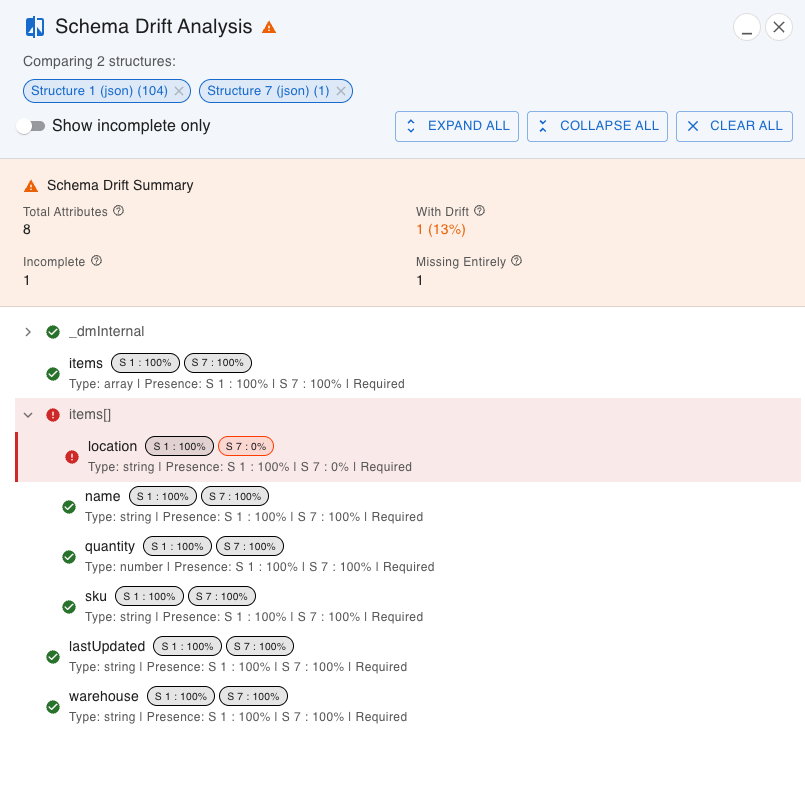
The panel lists every attribute as a tree, with a presence chip per structure, such as S 1: 100% and S 2: 85%.
| Colour | Meaning |
|---|---|
| Green | The attribute is in all files of that structure |
| Orange | The attribute is in some of the files |
| Red | The attribute is missing from that structure |
The summary at the top counts the attributes with drift, the incomplete ones and the ones that are missing entirely from a structure. Show Incomplete Only hides everything that is at 100% everywhere, which usually leaves a short list to go through.
If the Versions End Up in the Same Structure
The Structure Similarity Tolerance decides how alike two files must be to be grouped together. If a small change between versions is not enough to separate them, raise the tolerance and analyze again. If you get far too many structures, lower it.
Files in one structure can still differ. The occurrence percentage on each attribute shows it: an attribute at 62% in a structure with files from two versions is a strong hint that one version does not have it.
From Finding to Fix
Once you know which attribute drifted, click through to the files:
- Filter on the attribute to get the files that have it, or the ones that do not.
- Open one of each in the file viewer, or compare two of them side by side.
- Export the filtered files if someone else needs to reproduce the problem.
All of it runs in your browser, so production responses with customer data never leave your computer.
More detail is in the Data Analysis documentation and on the Data Analysis feature page.